

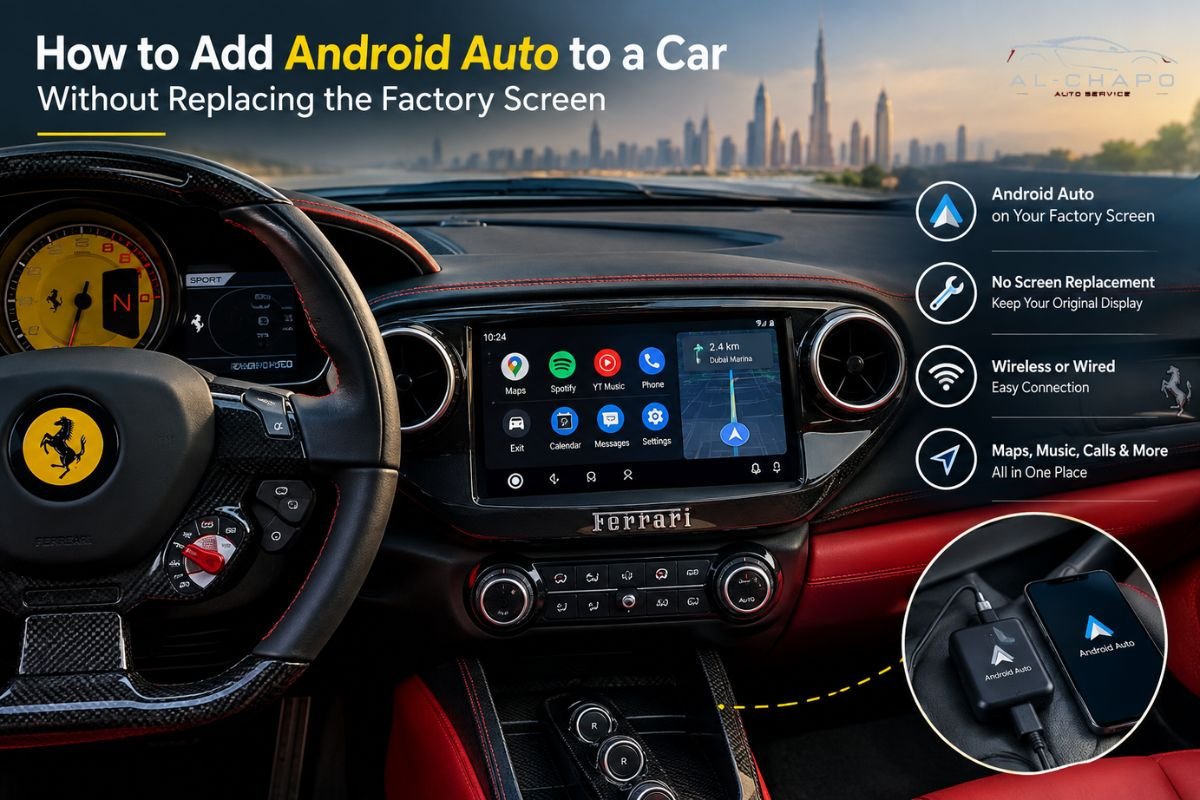
How to Add Android Auto to a Car Without Replacing the Factory Screen
Table of Contents
- Key takeaways
- Why do drivers want Android Auto without losing the factory screen?
- How does Android Auto actually connect to your car?
- How to add Android Auto: step-by-step process
- Method 1: Wireless Android Auto dongles
- Method 2: Retrofit modules through the factory screen
- Method 3: Aftermarket head unit with factory look
- What happens to your car’s wiring and electronics?
- Common mistakes car owners make
- Cost factors in Dubai
- Expert insights
- Conclusion
- Frequently asked questions
Android Auto can be added to almost any vehicle without needing to interfere with the factory screen. The decision process comes down to 3 factors: first is whether your vehicle has wired Android Auto already, second is whether to use a wireless dongle or a wired retrofit module, and lastly is the installer’s knowledge of your car’s wiring system. Cars manufactured from 2016 onwards typically have the necessary hardware; a plug-in dongle is usually all that’s required.
Furthermore, cars older than that often need a wired retrofit module instead. Having a complete car audio installation in Dubai with a new head unit is only relevant if your vehicle’s software is fully locked. Dubai has an estimated 3.5 million vehicles on its roads daily, with an average car ownership of around 540 vehicles per 1000 people, one of the highest levels in the world.
Key takeaways
- Incorporating Android Auto is a relatively simple task. It is not comparable to a complete change of dashboard furniture.
- Most vehicles produced in the past decade can obtain it via a plug-and-play device, with the original screen remaining in place.
- Older factory fitments generally need a specialist installation module instead.
- Having it installed by qualified technicians at a car audio consultancy in Dubai eliminates the chance of the wiring complications commonly associated with DIY methods.
Why do drivers want Android Auto without losing the factory screen?
Many assume that users must replace their stock display to enjoy the Android Auto experience. But that’s not always the case. The stock display may be used to control the climate control system, parking sensors, or driving computer. Many aftermarket displays do not support these features.
In fact, many vehicle owners already have existing factory setups. But they want access to the GPS, Spotify, and other applications without replacing the factory setup. They want to retain the factory controls as well.
However, this is where the Android Auto retrofit solutions come in. The conversion kits offer modern smartphone technology while still allowing the stock system to be used.
How does Android Auto actually connect to your car?
Android Auto is not directly executed on the car’s monitor. The operations are done by the smartphone operating in conjunction with the car system.
In order to be compatible with Android Auto, the car must contain a suitable head unit. In addition, the car must be equipped with both wired and wireless capabilities, as well as appropriate software.
Many cars produced after 2016 have suitable touchscreen systems. However, the producer’s settings may not enable Android Auto in a given car. Moreover, some models specific to the UAE contain region-specific software that does not support Android Auto.
How to add Android Auto: step-by-step process
This is the actual order of operations, no matter which method ends up fitting your car.
Step 1: Check what your car already supports
Go to the settings of your factory screen and check for the USB logo or “Android Auto / CarPlay” word. If it is visible but greyed out, your car likely has the ability to support wired Android Auto, but you have yet to enable it with a mobile device.
Step 2: Decide between wireless and wired
If your car supports wired Android Auto, a small dongle adds the wireless part. If there’s no Android Auto option at all, skip straight to a retrofit module. A dongle does nothing on a screen that was never built to recognize the protocol in the first place.
Step 3: Get the wiring checked before anything gets installed
People skip this more than they should. A quick look at the USB port and the infotainment harness tells the installer whether a plug-in will do the job or whether it needs deeper wiring access.
Step 4: Install the dongle or module
A dongle plugs into the existing USB port. No cutting, no rewiring. A retrofit module gets wired directly into the infotainment harness behind the dash, and the battery should always come out first to avoid a short.
Step 5: Pair your phone and set it up
Connect via Bluetooth or Wi-Fi depending on the device. From here, the screen should prompt Android Auto automatically whenever your phone is nearby.
Step 6: Test it before you actually drive
Check audio, navigation, and voice commands. Look for any warning lights on the dash that weren’t there before. Freezes and dropped connections usually show up in this first test, not three weeks later.
Do these in order and you end up with a clean install. Skip a step, and you find out the hard way.
Method 1: Wireless Android Auto dongles
This is the cheapest and fastest fix, and it’s basically Steps 1 and 2 above in physical form. A small adapter plugs into the USB port behind your factory screen, tricks the system into thinking a wired phone is connected, then relays the signal wirelessly from your actual phone sitting in your pocket or the cup holder.
What it needs to work:
- Your car already supports wired Android Auto, even if you’ve never used it
- A stable Wi-Fi/Bluetooth connection between phone and dongle
- Dongle firmware that actually matches your car’s infotainment brand
Therefore, nothing about your dashboard changes. That’s why most car audio installation in Dubai shops keep two or three dongle brands on the shelf and try one of those before suggesting anything more involved.
Method 2: Retrofit modules through the factory screen
Older cars, mostly anything before 2015, often have factory screens with zero smartphone integration built in. A dongle does nothing here because there’s no Android Auto software underneath for it to trigger.
A retrofit module works differently. It’s a small box wired directly into the car’s existing infotainment harness, acting as a translator between your phone and a screen that was never designed to understand smartphone signals in the first place. The factory buttons and volume knob stay exactly as they were; only the wiring behind them changes.
Furthermore, this is more technical, and it lines up with Steps 3 and 4 above. It means getting into the dash, finding the right wiring harness, and configuring the module to match the car’s specific infotainment protocol, which varies by brand and sometimes even by trim level. This is where real car electrical repair Dubai know-how matters, because a rushed job here doesn’t show its problems right away. It shows up three weeks later.
Method 3: Aftermarket head unit with factory look
Sometimes retrofitting just isn’t possible. Certain luxury brands lock their infotainment software tight enough that no dongle or module gets through. At that point, replacing the unit is the only real option, but that doesn’t mean giving up the factory look.
Fascia kits and frames now exist that let an aftermarket screen sit flush with the dashboard, close enough to the factory trim that most people wouldn’t notice. It’s not quite the “no screen replacement” outcome in the strictest sense, but for cars where nothing else works, it’s the closest thing to it. Shops that handle broader car modification services in Dubai usually keep a stock of these fascia kits for the models that sell well here: Land Cruisers, Patrols, and the common German sedans especially.
What happens to your car’s wiring and electronics?
Most people underestimate this part. Android Auto retrofits touch your car’s low-voltage electrical system, and modern cars run dozens of modules through that same space behind the dash: parking sensors, lane assist, climate control, all sharing wiring channels.
Moreover, a dongle install is low-risk since it only uses an existing USB line. A retrofit module carries more risk because it splices into or piggybacks off the infotainment harness. Get that wrong, and you can end up with dashboard warning lights, features that stop working for no obvious reason, or a screen that resets itself at random. Installers who actually do general car electrical repair or car stereo installation in Dubai, not just audio, tend to handle these retrofits more cleanly because they understand the wiring beyond just the entertainment system.
Common mistakes car owners make
- Skipping Step 1 entirely- Buying a dongle before checking compatibility wastes money if the car doesn’t support wired Android Auto to begin with.
- Working on live wiring- Installing a retrofit module without pulling the battery first is how you get a short circuit.
- Grabbing the cheapest module on offer- Off-brand modules often skip firmware updates, so Android Auto quietly stops working the next time your phone updates.
- Assuming any mechanic can handle it- General mechanics who don’t work with infotainment systems regularly sometimes mismatch wiring, and features fail silently.
- Not test-driving it afterward- Screen freezes and audio dropouts often only show up once the car is moving.
Cost factors in Dubai
Pricing depends on the method and how complicated the car is. A basic wireless dongle setup is the cheapest option, usually done in under an hour. A retrofit module costs more because of the wiring work and the diagnostic checks that come after it. A full head unit replacement with a custom fascia kit costs the most, since it’s both hardware and fitting labor.
| Method | Typical Time | Complexity | Best For |
| Wireless dongle | 30–60 minutes | Low | Cars already supporting wired Android Auto |
| Retrofit module | 2–4 hours | Medium-High | Older screens with no smartphone support |
| New head unit + fascia | Half day+ | High | Locked or unsupported OEM systems |
Cost also shifts by brand. European models with locked-down software architectures generally cost more to retrofit than mass-market Japanese or Korean models, mainly because the wiring diagnostics take longer to sort through.
Expert insights
After years in this business, two things have become apparent: the technology is rarely to blame, and most problems are caused by improper installation, misuse, outdated firmware, or bad wiring.
Not skipping any steps when installing can prevent future issues. Five-year-old cars have been working very well with correctly installed modules, but new cars with wrongly installed dongles commonly have issues. Consequently, the installation has to be done correctly even in a new, state-of-the-art vehicle.
One more thing people don’t realize: some screens don’t need a dongle or module at all. They just need a software update through the manufacturer’s own system, and plenty of owners never find out that option exists. Always worth asking a shop to check for that first, before anyone reaches for hardware.
Conclusion
It is possible to install Android Auto in several vehicles without needing to change the factory screen. You just have to ensure compatibility, pick the right retrofit, and test it. Alchapo Auto Service, a leading expert in retrofits and car audio installation in Dubai, will assist you with the installation of Android Auto.
Frequently asked questions
Most cars from the last decade, yes, through either a dongle or a retrofit module. A handful of luxury brands lock their infotainment software tight enough that you’d need a head unit replacement instead.
Your factory screen’s settings menu, for a USB or Android Auto icon. That tells you whether you need a dongle or a full retrofit.
Yes. It only uses the existing USB port and doesn’t touch the internal wiring, so it’s about as low-risk as this gets.
A dongle plugs into a USB port and works wirelessly from there. A module gets wired directly into the infotainment system, and you need it when the screen has no built-in smartphone support at all.
It can, depending on how the manufacturer treats aftermarket electrical work. Worth a call to your dealership first, especially on newer cars.
Usually outdated dongle firmware, a loose USB connection, or another Bluetooth device interfering. A decent car stereo installation in Dubai job checks all three before handing the car back.
You can, technically, but I wouldn’t recommend it unless you actually know car wiring. One wrong connection and you’re troubleshooting something else entirely.
A dongle takes under an hour. A retrofit module runs two to four hours depending on the car and how the wiring’s laid out.
Yes. If your car already has wired Android Auto and you just want it wireless, a dongle handles that. No Android Auto at all, go the retrofit route.
It does. Most shops offering car modification services in Dubai include Android Auto and CarPlay retrofits alongside their broader infotainment and electrical work.